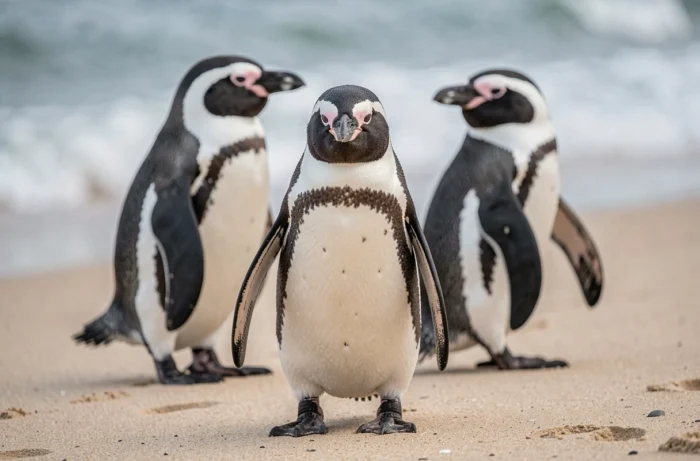
The Pix exercise “Penguin Beach” is based on a simple principle: a beach photo has been altered by adding penguins in the foreground, and you need to find the original image to identify what the penguins are hiding. The method utilizes reverse image search, a digital skill that Pix assesses in the area of “Conducting research and information monitoring.”
Understanding the photo montage before starting a search
Before rushing to a search engine, observing the modified image provides valuable clues. The penguins occupy a specific area of the shot, usually in the center or foreground. The rest of the photo (sky, sand, horizon line, vegetation) has not been altered.
This intact area constitutes the visual footprint that engines use to find matches. The richer the background is in details (rocks, umbrellas, specific sand color), the more effective the search will be.
An article details precisely what the penguins are hiding in a Pix beach image by going through each step of visual and technical verification.
The montage created by “Frédéric” (the fictional character in the exercise) is deliberately crude. The penguins have been pasted without shadow work or color matching. This type of overlay often leaves visible artifacts: sharp edges, resolution differences between the added subject and the background, slight inconsistencies in brightness.

Reverse image search: technical functioning of the engine
Reverse search does not compare keywords. It analyzes the graphic structure of the submitted file (color distribution, geometric shapes, textures) and compares it to an index of millions of already referenced images.
Three main tools enable this operation:
- Google Images, via the camera icon in the search bar, accepts an uploaded file or an image URL. The engine then offers “visually similar” results and often pages containing the same photo.
- Google Lens, integrated into Android smartphones and available via the Google app on iOS, allows you to photograph a screen or import a screenshot to launch the same search.
- TinEye, a search engine dedicated exclusively to image searching, indexes occurrences of a photo on the web and sorts them by publication date, which helps identify the oldest version (and thus potentially the original).
In the case of the Pix exercise, the unaltered background is sufficient for the engine to find the source photo. The overlaid penguins cover only a fraction of the image, and partial matching algorithms ignore inconsistent areas to focus on stable portions.
Why partial matching works here
Modern engines break down each image into regions and calculate digital signatures for each. When only one region differs (the penguins), the other signatures remain identical to those of the original photo. The engine then traces back to the source with a high similarity score.
Since 2024-2025, some search engines combine visual analysis and the text of the query to produce contextualized responses. Submitting the image accompanied by a keyword like “beach” can refine results and eliminate false positives.
EXIF metadata and clues in the image file
Beyond visual search, the image file itself may contain useful information. EXIF metadata records technical data at the time of capture: camera model, date, GPS coordinates sometimes, software used for editing.
If the file provided in the Pix exercise retains its metadata (which is not always the case after sharing on social media, which often removes them), one can read the mention of an editing software. This information confirms that the image has been altered, without directly revealing the original photo.
To access the metadata:
- On Windows, right-click on the file, then “Properties” and the “Details” tab.
- On macOS, open the image in Preview, then “Tools” and “Show Inspector.”
- Online, tools like Jeffrey’s Exif Viewer allow you to analyze an uploaded file without installing software.
Pix response: what the penguins are hiding in the beach photo
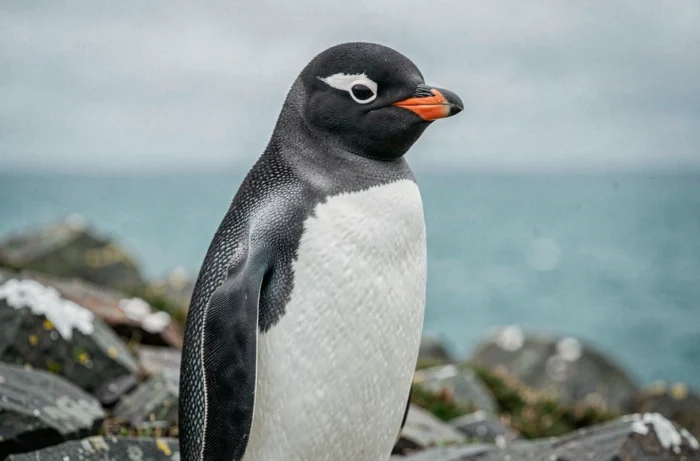
The penguins are hiding a pineapple in the original photo. Once the reverse search is performed, the source photo shows a beach where a pineapple has been placed in the foreground, likely as a humorous or decorative element.
The exercise does not test general knowledge about penguins or tropical fruits. It assesses the ability to use an image search tool to trace back to the source of a modified photo, a skill directly transferable to online information verification.
Image verification and misinformation
The scenario of the Pix exercise replicates on a small scale a common mechanism of visual misinformation. Authentic photos are cropped, altered, or taken out of context to support a misleading narrative. Reverse search remains the most accessible method to verify the provenance of an image shared on social media.
The skill assessed by this exercise goes beyond the school context. Knowing how to trace the origin of a photo in a few clicks also means being able to distinguish a reliable document from a montage intended to deceive. The pineapple hidden under the penguins is just a playful pretext to instill this reflex.